Zephyr DTSI and DTS Output with IDesignSpec
If you’ve worked with Zephyr RTOS, you already know that devicetree files are a core part of how hardware gets described. At a high level, they tell the software what hardware exists and how everything is connected, but in practice, managing them can get a bit messy, especially when you are in a fast paced environment where the hardware keeps changing underneath.
There are mainly two types of files involved: DTSI and DTS.
DTSI files are usually where common definitions live—things like SoC-level components, standard peripherals, or blocks that are reused across boards. Instead of redefining the same thing again and again, you just include the DTSI file wherever needed.
Then comes the DTS file, which is physical board-specific. It includes one or more DTSI files and adds whatever customization is needed for that particular board. This is the file Zephyr actually uses during build time.
Sounds straightforward, but once the design grows, it rarely stays that simple.
Current Challenges
In most teams, DTS/DTSI creation is still either manual or handled through some internal scripts that have evolved over time. Initially, this works fine. But as the design gets bigger, cracks start to show.
Manually editing devicetree files is error-prone. Even a small typo or mismatch can cause issues that are not always easy for you to debug. And since these files can get pretty long, spotting the problem isn’t always quick.
Scripts help, but they come with their own problems. Most of them are written for a specific use case and don’t scale well. Over time, they become harder to maintain, especially when new requirements come in.
Another issue is consistency. Different teams (or even different people) might follow slightly different approaches. That leads to variations in output, which shouldn’t really happen for something as structured as this.
And probably the biggest pain point—there’s no single source of truth. RTL, headers, documentation, and devicetrees often come from different flows. Keeping everything in sync becomes a constant effort.
How IDesignSpec Solves This
This is where IDesignSpec™ Suite fits in naturally.
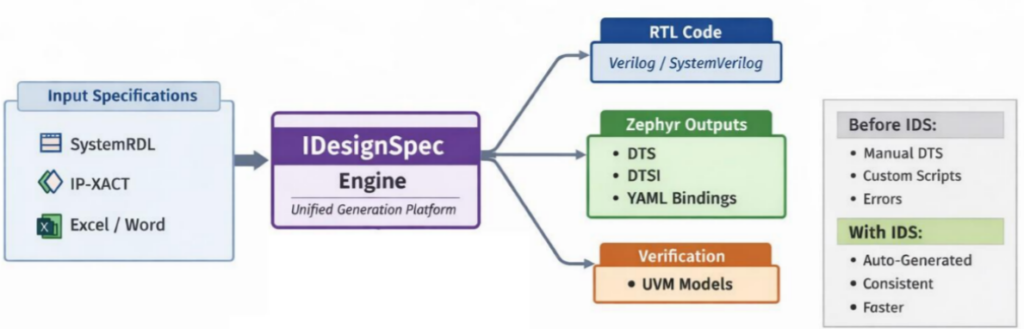
The idea is simple: instead of maintaining multiple representations of the same thing, you define everything once and generate all required outputs from that.
IDesignSpec is already being used for generating RTL, UVM models, C headers, and documentation. Extending it to generate Zephyr-related outputs just builds on the same philosophy.
One good thing is that it doesn’t force you into a new way of working. You can continue using inputs like SystemRDL, IP-XACT, Excel, or even Word—whatever your team is already comfortable with.
With the new support, it can now generate:
- DTSI files for reusable components
- DTS files for board-level configuration
- YAML bindings needed by Zephyr
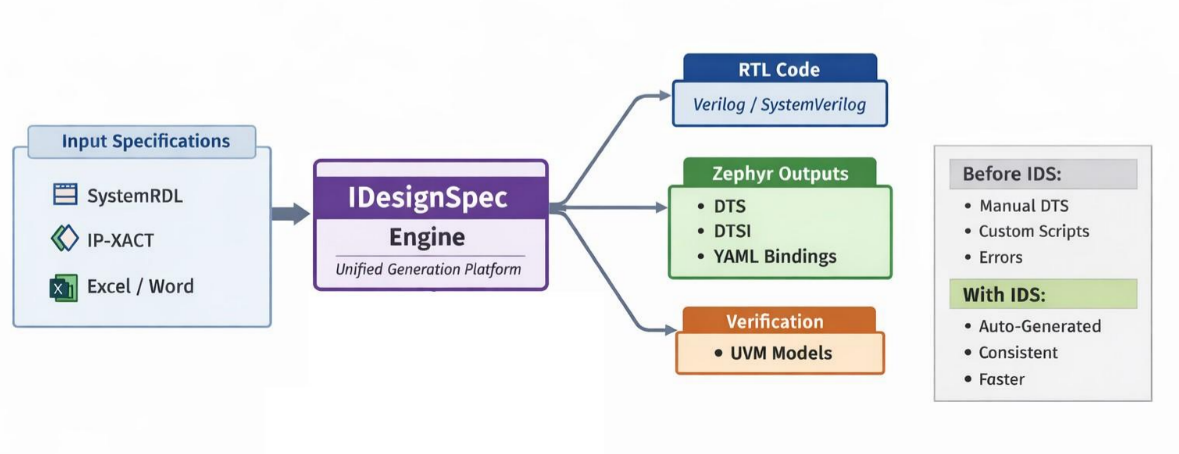
Instead of stitching all the components and scripts together manually, everything comes out of the same flow which is driven by a single source of truth – the specification.
Key Benefits
From a practical point of view, this solves a lot of everyday issues:
- You generate everything from a single source of truth, which removes a lot of confusion
- No need to learn or maintain separate formats just for Zephyr
- All outputs are generated together, so they stay consistent by design
- Manual effort is reduced quite a bit
- The solution scales better as the design grows
- Debugging becomes easier because everything traces back to one spec
And honestly, one underrated benefit is peace of mind—you don’t have to keep double-checking if different files are in sync.
Conclusion
At the end of the day, generating DTS, DTSI, and YAML files manually (or semi-manually) just doesn’t hold up well as designs grow.
By bringing this into IDesignSpec, the whole process becomes cleaner and more reliable. You define things once, generate everything you need, and avoid a lot of repetitive work.
It’s not about replacing what engineers do—it’s about removing the tedious parts so more time can go into actual design and problem-solving.